
How to Create a Product Design Specification Document

Most product problems do not start in the factory or the code editor. They start earlier, when a team builds something without a shared, written understanding of what the product must do. One person thinks the battery should last a week. Another assumes two days. A supplier quotes for a plastic that the compliance team later rejects. Nobody is wrong, because nobody wrote it down. A product design specification, often called a PDS, solves this problem. It is a single document that captures what your product must do, who it is for, and the limits it must work within. When it is done well, designers, engineers, marketers, and suppliers all work from the same page. In this guide, you will learn what a PDS is, what to include, how to write one in eight practical steps, and which mistakes to avoid. You will also see a worked example and find a link to a free template at the end. Key takeaways What Is a Product Design Specification (PDS)? A product design specification is a structured document that lists every requirement a product must meet before it can be called finished. It covers function, performance, user needs, materials, safety, cost, and testing. Think of it as the contract between your idea and the people who will build it. The goal is not to describe the design itself. The goal is to describe the problem the design must solve. For example, a PDS says “The handle must be usable by a person with a hand width of 7 to 10 cm.” It does not say “Use a rubber grip with three ridges.” The first statement leaves room for good design. The second locks in a solution too early. PDS vs PRD vs BRD These three documents are often confused. They overlap, but each one serves a different purpose. Document Full name Main focus Typical owner PDS Product Design Specification Technical and design requirements the product must meet Design and engineering leads PRD Product Requirements Document User needs, features, and business goals Product manager BRD Business Requirements Document Business case, budget, and expected return Business stakeholders In many teams, the PRD describes what to build and why, while the PDS describes how well it must perform and within which limits. Smaller teams and early-stage startups often combine the two into one document. That is fine, as long as the content is clear. When Do You Need a PDS? You need a PDS whenever more than one person or team will touch the product. It is especially valuable for physical products, where changes after tooling are expensive. It also helps software and mixed hardware and software products, where firmware, app, and enclosure must work together. Why a Product Design Specification Matters A written specification may feel like extra paperwork, but it saves time and money in several ways. It aligns the team. Designers, engineers, and business owners often hold different assumptions. A PDS brings those assumptions into the open early, when changing them costs almost nothing. It reduces rework and scope creep. When requirements are agreed and written, it becomes easier to say no to late additions or to price them properly. It speeds up handoffs. Manufacturers, suppliers, and testing labs can quote and plan faster when they receive clear specifications instead of scattered emails. It gives you a way to test. A requirement you cannot measure is a requirement you cannot verify. A PDS forces measurable targets, so testing has a clear pass or fail result. Pros and Cons of Using a PDS Pros Cons Creates a single source of truth for the whole team Takes time to write and review properly Catches conflicting requirements early Can become outdated if nobody maintains it Makes supplier quotes more accurate Too much detail may slow down early exploration Gives clear pass or fail criteria for testing Rigid wording can discourage creative solutions Reduces costly changes after tooling or launch Needs input from many people, which can be hard to schedule The cons are real, but they are manageable. A short, living document with clear owners avoids most of them. What to Include in a Product Design Specification Every product is different, so your PDS will vary. Still, most strong specifications cover the same core areas. Use the list below as a starting point and remove what does not apply. 1. Product Overview and Objectives Start with a short summary of what the product is, what problem it solves, and what success looks like. Keep it to a paragraph or two. Add the business goals, such as target launch date or target market. 2. Target Users and Use Cases Describe who will use the product and in what situations. Include age range, skill level, environment, and any special needs. A product used in a kitchen has very different requirements from one used on a construction site. 3. Functional Requirements List what the product must do. Each requirement should describe one behavior and be written clearly enough to test. For example: “The device must pair with a smartphone in under 10 seconds.” 4. Performance Requirements Define how well the product must do its job. This includes speed, accuracy, battery life, load capacity, lifespan, and operating temperature range. Always use numbers and units. 5. Materials, Dimensions, and Manufacturing Constraints Set limits for size, weight, materials, finish, and production method. Mention the expected production volume, because a product made in hundreds of units is built very differently from one made in hundreds of thousands. 6. Safety, Standards, and Compliance List the regulations and standards the product must meet. Depending on the product, this may include electrical safety, food contact safety, ingress protection ratings, or environmental rules. Check which standards apply in each market where you plan to sell. 7. Cost Targets and Timeline State the target manufacturing cost, the target selling price, and the key milestones. Cost limits shape many design choices, so they belong in the specification from day one. 8. Testing and Acceptance Criteria Explain how
How to Choose the Right Material for Your Product
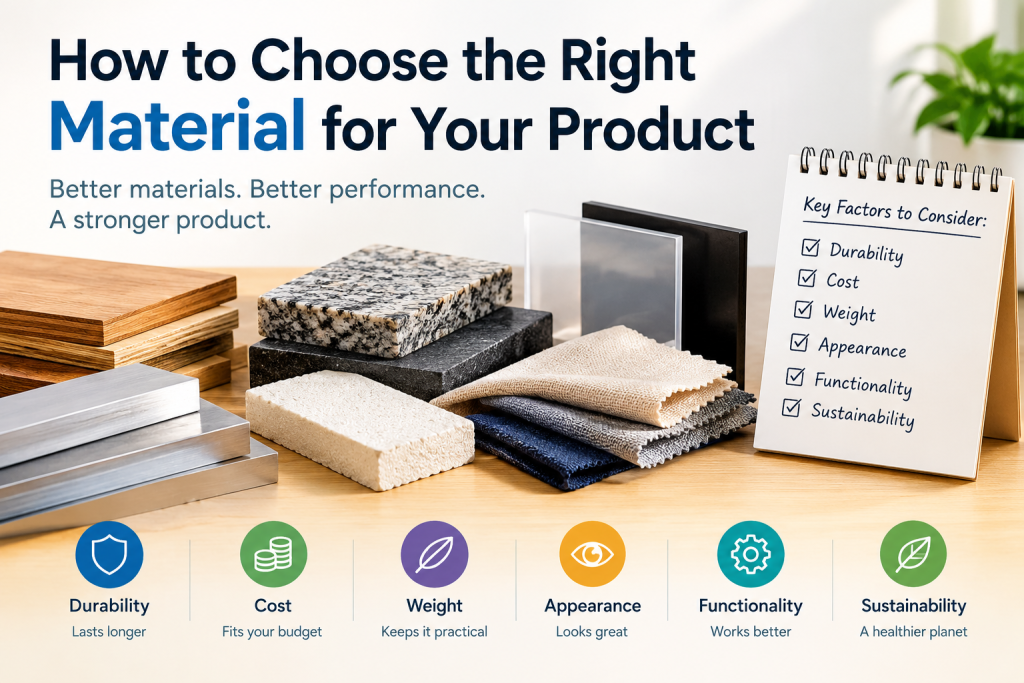
Material selection is one of the first big calls you make in product design, and one of the hardest to undo. Pick the wrong material and you may face cracked parts, failed tests, a poor finish or tooling that has to be cut again. Pick the right one and the product feels solid, looks premium and costs less to make. This guide gives you a practical 7-step process for material selection. It is written for engineers and product designers who want clear steps, not theory. You will learn how to define requirements, read material properties, match a material to a manufacturing process, plan the CMF (color, material, finish) and test your choice before you commit to tooling. A quick note on where this comes from. The advice here reflects the way hardware teams review materials in real projects: start from the use case, check the process, test early and keep the decision on paper. It also draws on widely used engineering references such as material datasheets, plastics and metals standards, and common design for manufacturing (DFM) practice. Always confirm final numbers against your supplier’s datasheet for the exact grade you plan to use. Why Material Selection Shapes the Whole Product Material choice touches almost every part of a product. It decides how strong the product is, how much it weighs, how it feels in the hand, how it ages outdoors and how much it costs to make. It also decides which manufacturing processes you can use, and that in turn sets your tooling budget. A good material choice helps in four ways: A poor choice shows up late and costs more to fix. Typical symptoms are warping after molding, cracks at screw bosses, faded color after a few months of sun, or a finish that scratches in the first week. By then the tooling is cut, so a fix often means a new mold. That is why material selection belongs at the start of product design, not at the end. Step 1: Define the Product Requirements Before you compare a single material, write down what the product must do. Clear requirements make every later decision faster, because you can reject options quickly instead of debating them. Functional needs List the loads, forces and movements the part will see. Ask simple questions. Will it be dropped? Will it carry weight for years? Does it need to flex, snap fit or stay rigid? Does it need to conduct or insulate electricity? Put numbers on each answer where you can, such as a drop height or a maximum working temperature. Use environment Where will the product live? A handheld gadget used indoors has very different needs from an outdoor fixture exposed to sun, rain and dust. Think about: Regulatory and safety needs Some products need specific approvals. Food contact parts need food-grade material. Electronics may need flame ratings such as UL 94 V-0 and compliance with RoHS. Children’s products have their own safety rules. Check the rules for every market you plan to sell in, since they can limit your material list early. A simple requirements checklist Step 2: Understand Key Material Properties Once your requirements are clear, translate them into material properties. You do not need to be a materials scientist. You only need to know which few properties matter for your product and where to find them on a datasheet. Mechanical properties Thermal properties Heat changes everything. Check the heat deflection temperature for plastics and the maximum service temperature for any material. Also check thermal expansion. If two parts of different materials are bonded or screwed together, they may expand at different rates and loosen or crack over time. Chemical and environmental properties Look at corrosion resistance for metals and chemical resistance for plastics. Many plastics weaken when they touch certain cleaners, oils or fuels. Outdoor parts need UV stability, or the surface will chalk, fade and turn brittle. Electrical properties If the part sits near electronics, check insulation strength, conductivity and flame rating. Metals shield and conduct. Most plastics insulate. A metal enclosure can also block Wi-Fi or Bluetooth signals, which matters for connected products. Tip: read the datasheet for the exact grade Two plastics with the same name can behave very differently because of fillers, glass fiber and additives. Always compare the datasheet of the specific grade, not a general table. Step 3: Match the Material to the Manufacturing Process A material only works if you can shape it economically. That is why the manufacturing process and the material must be chosen together. A beautiful design in a material that cannot be made at your volume is a dead end. Common processes and what they suit Design for manufacturing (DFM) basics Each process has rules. For injection molding, keep wall thickness even, add draft angles so parts release from the mold, and avoid sharp internal corners. For machining, avoid very deep narrow pockets. For sheet metal, respect minimum bend radius. Your material choice changes these limits, so check them early with your manufacturer. Volume changes the answer A material that is perfect for 500 units may be wrong for 50,000 units. Machined aluminum looks great in a prototype, but a molded or die cast version is far cheaper at scale. Plan the path from prototype to production, and choose a material that has a clear route through each stage. Process Typical volume Common materials Tooling cost 3D printing 1 to 100 Resin, nylon, PLA, ABS None CNC machining 1 to 1,000 Aluminum, steel, ABS, POM None Vacuum casting 10 to 100 PU resins Low Sheet metal 100 to 100,000 Mild steel, stainless steel, aluminum Low to medium Injection molding 5,000 and above ABS, PC, PP, Nylon High Die casting 5,000 and above Aluminum, zinc High Volume ranges are rough guides. Actual economics depend on part size, complexity and your supplier. Step 4: Factor in CMF (Color, Material, Finish) CMF stands for color, material and finish. It is the design layer that decides how a product looks and feels,
8 Types of Industrial Design Services Explained
Many first-time product owners are surprised by how much happens between “I have an idea” and “I have a product on the shelf.” Somewhere in the middle, someone has to decide how the product looks, how it feels in the hand, how it gets made, and how it will survive real life. That is where industrial design services come in. Industrial design is the practice of shaping physical products so they are attractive, useful, safe, and possible to manufacture at a sensible cost. A good industrial designer works at the meeting point of people, materials, and production methods. This guide explains the 8 core types of industrial design services in plain language. For each one, you will see what it delivers, who needs it, and the honest pros and cons. You will also find a comparison chart, a checklist for choosing a studio, and answers to common questions. A quick note on where this advice comes from: it reflects common practice across product development projects, the design process followed by professional bodies such as the Industrial Designers Society of America (IDSA), and widely used manufacturing principles like design for manufacturing (DFM). Costs and timelines vary by project, so treat any range as a starting point for your own conversations with studios. What Do Industrial Design Services Actually Cover? Think of a product as a conversation between four things: A weak product usually fails on one of these. A beautiful kettle that is hard to pour from fails on usability. A clever gadget that costs too much to mold fails on manufacturability. Industrial design services exist to keep all four in balance. You can buy these services one at a time, which is often called an à la carte approach. You can also hire a studio for the full cycle, from first sketch to production support. Neither is better in every case. The right choice depends on where your product is today and how much of the journey you can handle in house. The 8 Types of Industrial Design Services 1. Product Concept Design and Ideation This is where most projects begin. The designer explores many directions for your idea before anyone commits to one. Expect sketches, moodboards, and early concept directions that show different looks and approaches. What you get: concept sketches, 2D and 3D renders, and a short set of directions to choose from. Best for: new product ideas that are still at the idea stage, and founders who know the problem but not yet the shape of the solution. Why it matters: changing a sketch costs almost nothing. Changing a steel mold costs a great deal. Exploring widely at the start is the cheapest insurance in product development. Pros: Cons: 2. CMF Design (Color, Material, Finish) CMF stands for color, material, and finish. It covers the surface story of a product: what it is made from, what color it comes in, and how it feels and reflects light. CMF has a large effect on how people judge quality. Two products with the same shape can feel very different. A matte, softly textured finish tends to feel calm and premium. A glossy plastic finish can feel lighter and more budget focused, though this depends on the category and the audience. Material choice also affects weight, durability, cost, and how a product can be recycled. What you get: color palettes, material and finish specifications, CMF boards, and sometimes supplier suggestions for hitting the look at your target cost. Best for: consumer products, appliances, electronics, furniture, and any brand that wants its products to look consistent across a range. Pros: Cons: 3. Design Engineering Design engineering turns an approved concept into something a factory can actually build. This is the stage where the product gets its internal structure, its parts, and its precise dimensions. Here you will hear the term DFM, or design for manufacturing. In simple terms, DFM means designing the product so it is easy and cheap to make. That can mean fewer parts, simpler molds, standard fasteners, and tolerances that a factory can hold without extra cost. What you get: 3D CAD files, engineering drawings with tolerances, assembly details, and support with the bill of materials (BOM). Best for: any product heading toward production, especially products with moving parts, electronics, or tight fits between components. Pros: Cons: 4. Ergonomics and Human Factors Design Ergonomics is the study of how people interact with products. Human factors design uses that knowledge to make products comfortable, safe, and easy to use. It looks at grip size, button placement, weight balance, reach, posture, and the chance of user error. Standards matter here. For example, the ISO 9241 series covers ergonomics of human and system interaction, and many regions have specific safety rules for medical and children’s products. A good designer knows which guidelines apply to your category. What you get: user studies, ergonomic analysis, mockups for comfort testing, and design changes based on user feedback. Best for: handheld tools, wearables, medical devices, kitchen and home appliances, and anything used for long periods or in high stakes situations. Pros: Cons: 5. Prototyping and Testing A prototype is a working or visual model of your product. Prototyping lets you hold the idea, test it, and break it before you commit to production tooling. There are two main kinds: Common methods include 3D printing, CNC machining, silicone casting, and hand built mockups. Many projects use several rounds, moving from rough and cheap to refined and accurate. What you get: physical models, test results, and a list of design fixes before tooling begins. Best for: products with mechanisms, tight tolerances, or new user interactions, and anyone who wants to avoid expensive tooling mistakes. Pros: Cons: 6. Packaging and Product Presentation Design Packaging is part of the product experience. It protects the item in transit, tells the buyer what it is, and shapes the moment of opening the box. Structural packaging design deals with how the pack is built. Graphic and presentation design deals with how
10 Product Design Trends Shaping Indian Manufacturing in 2026
Introduction Walk through any factory in Pune, Chennai, Gurugram, or Rajkot today and you will notice something. The conversation has changed. Ten years ago, the main question was “Can we make it?” Now the question is “Can we design it better, faster, and cheaper than anyone else?” That shift matters. Indian manufacturers are under pressure from several sides at once. Export buyers want higher quality. Government programs push for local sourcing. Customers expect new versions more often. And input costs keep moving. Design is where many of these problems can be solved early. A widely cited rule of thumb in engineering says that most of a product’s final cost, often 70 to 80 percent, is locked in during the design stage. Treat that figure as a guide and check it against a current source before you quote it. The point is simple. A small change on a drawing is cheap. The same change after tooling is expensive. This guide covers the 10 product design trends that matter most for Indian manufacturing in 2026. For each trend, you will get a plain explanation, why it matters in India, honest pros and cons, and one practical step you can take this quarter. This article is written for manufacturers, product heads, and engineering leaders. It draws on common industry practice, public policy documents, and hands-on product development experience. Where a number needs checking, we say so. Trend 1: Design for Manufacturing and Assembly (DFMA) From Day One What it is: DFMA means designing a product so it is easy to make and easy to put together. The shop floor team and key suppliers join the design process at concept stage, not after drawings are frozen. Why it matters in India: Many Indian plants run a mix of automated and manual processes. A design that looks good on screen may be hard to build with your actual machines and skill levels. DFMA closes that gap. Pros: Cons: What to do next: Pick one running product. Ask the assembly team to list its top five pain points. Redesign for those first. Trend 2: AI-Assisted and Generative Design What it is: Software suggests many design options based on your goals, such as lower weight, lower material use, or higher strength. Engineers then choose and refine the best ones. AI tools also help with concept sketches, documentation, and design reviews. Why it matters in India: Many mid-size manufacturers have small design teams. AI tools help them explore more ideas in less time. This is useful when you compete with larger global brands. Pros: Cons: What to do next: Start with one non-critical part, such as a bracket or housing. Compare the AI-assisted version against your current design for weight, cost, and manufacturability. Trend 3: Simulation-Driven Development and Digital Twins What it is: Instead of building many physical prototypes, teams test designs on a computer. They simulate stress, heat, vibration, airflow, and even the assembly process. A digital twin is a live virtual copy of a product or production line that is updated with real data. Why it matters in India: Prototype tooling and testing can be costly, and lab queues can be long. Simulation lets you find problems before you spend on steel. Pros: Cons: What to do next: Pick one recurring failure in the field. Build a simulation model that reproduces it. Use that model to test fixes before you cut any new tool. Trend 4: Additive Manufacturing for Prototypes and Low-Volume Runs What it is: Additive manufacturing, or 3D printing, builds parts layer by layer. It is now used for more than models. Teams use it for jigs, fixtures, end-use parts, and bridge production before hard tooling is ready. Why it matters in India: Local 3D printing services and in-house machines are easier to access than before. This helps startups and established firms test the market without large tooling bills. Pros: Cons: What to do next: List the jigs and fixtures on your line that were made by hand or outsourced. Print two or three and measure the time saved. Trend 5: Localization-Led Design What it is: Designers choose materials, components, and processes based on what can be sourced reliably within India. Local supply is a design input from the first sketch. Why it matters in India: Government initiatives such as Make in India and production linked incentive (PLI) schemes reward domestic value addition. Many firms also want less dependence on a single overseas supplier. Designing around local supply reduces lead time and currency risk. Pros: Cons: What to do next: Review your bill of materials. Mark every imported part. For each, ask if a local alternative exists or if a small design change would allow one. Trend 6: Modular and Platform-Based Architecture What it is: Instead of designing each product from scratch, teams build a common platform with swappable modules. One base can then support many variants. Why it matters in India: Indian and export markets differ widely in price, climate, voltage, and regulation. A modular platform lets you serve each market without starting over every time. Pros: Cons: What to do next: Look at your current product range. Find the parts that are already 70 percent similar. Those are your first platform candidates. Trend 7: Sustainable and Circular Design What it is: Sustainable design reduces material use, energy use, and waste across the product’s life. Circular design goes further. It plans for repair, reuse, refurbishment, and recycling from the start. Why it matters in India: Extended producer responsibility (EPR) rules now apply to categories such as plastic packaging and electronic waste. Export buyers, especially in Europe, also ask for sustainability data. Designing for it early is easier than fixing it later. Pros: Cons: What to do next: Pick one product and ask three questions. Can it be taken apart easily? Are the materials labelled? Can any part be made from recycled content without hurting performance? Trend 8: Design-to-Cost and Value Engineering What it is: Design-to-cost sets a target cost at the start